
What is the Berkshire Patient Portal?
The Berkshire Patient Portal is a free, secure, and convenient online tool that helps you manage your healthcare information easily.
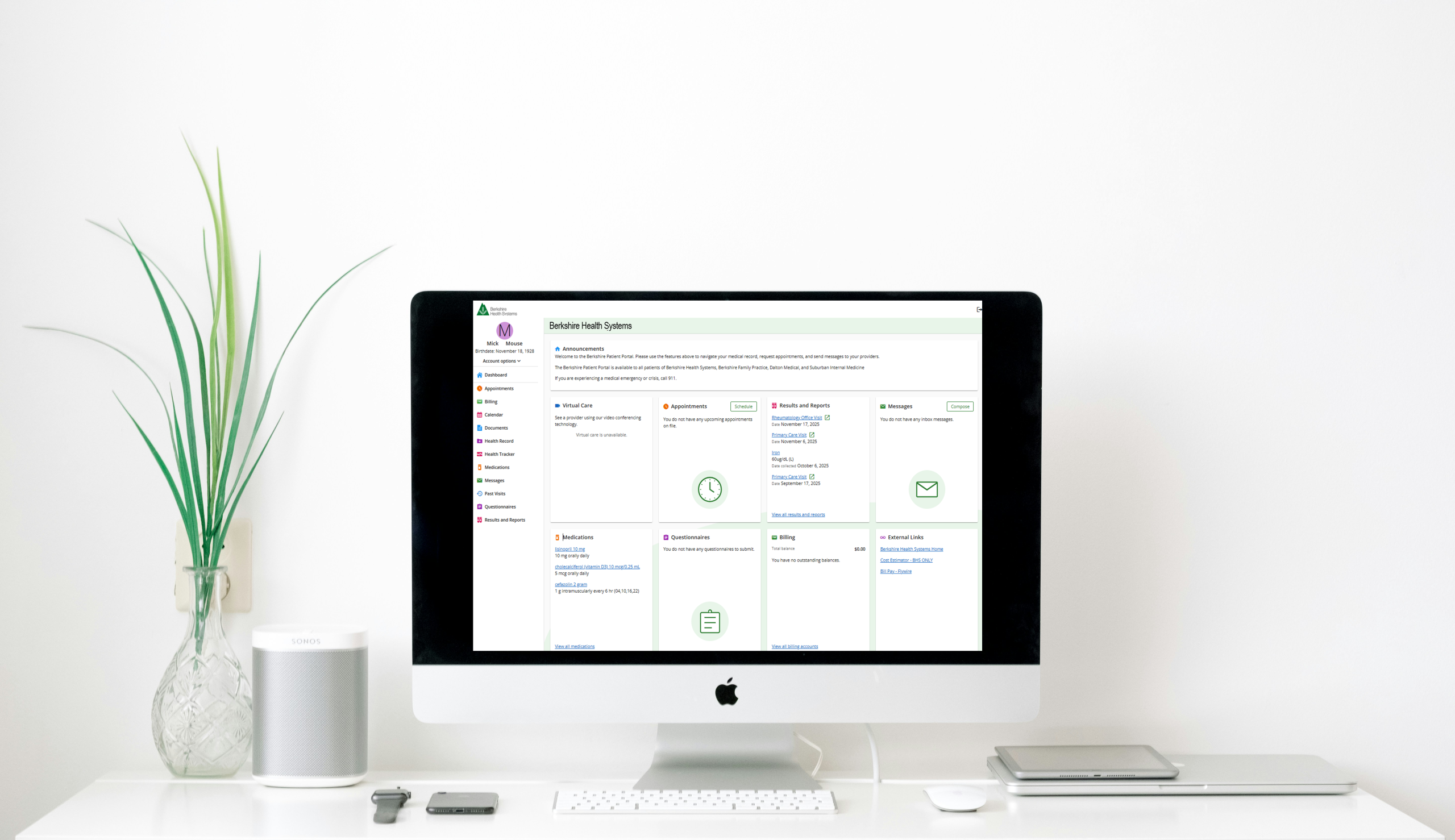
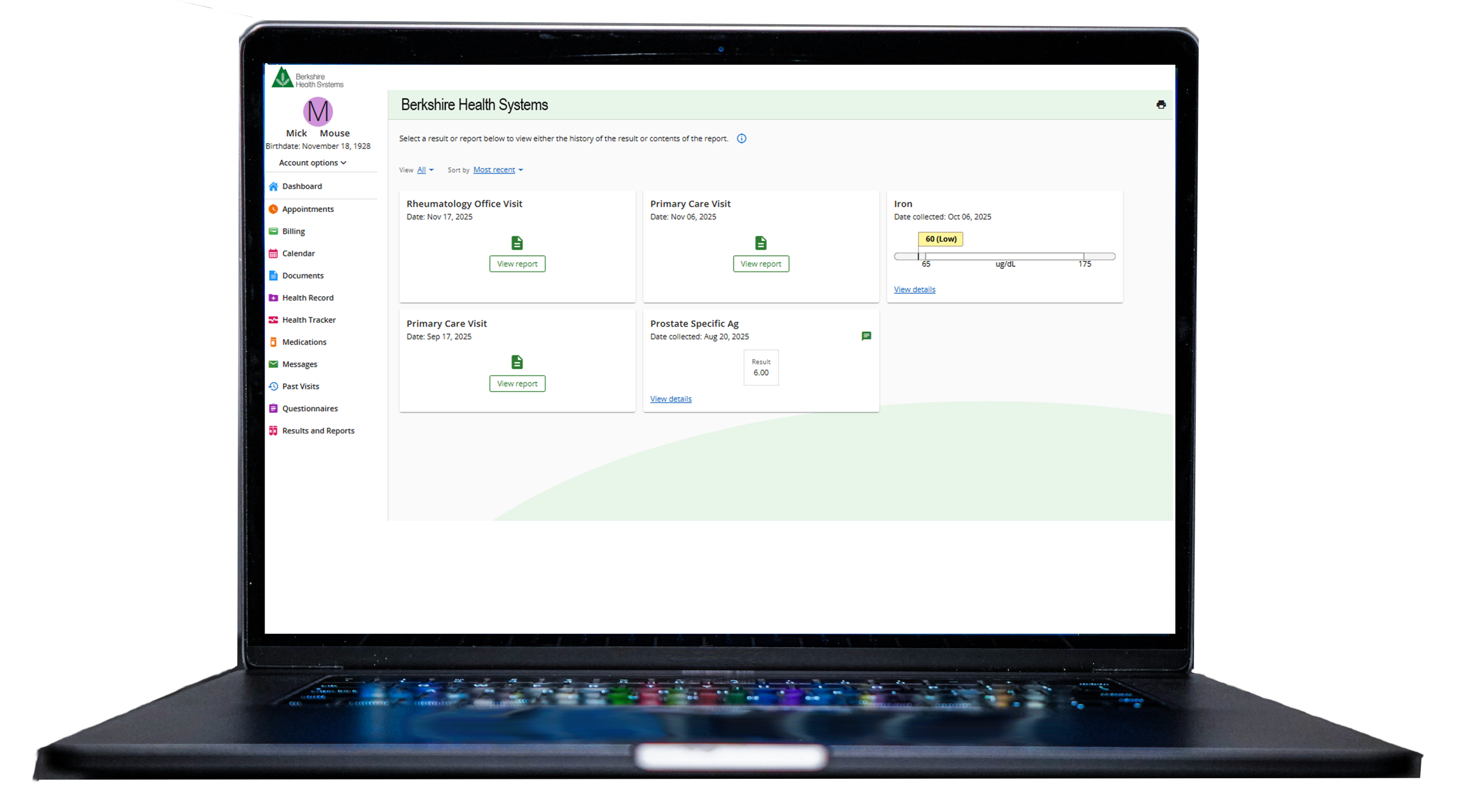
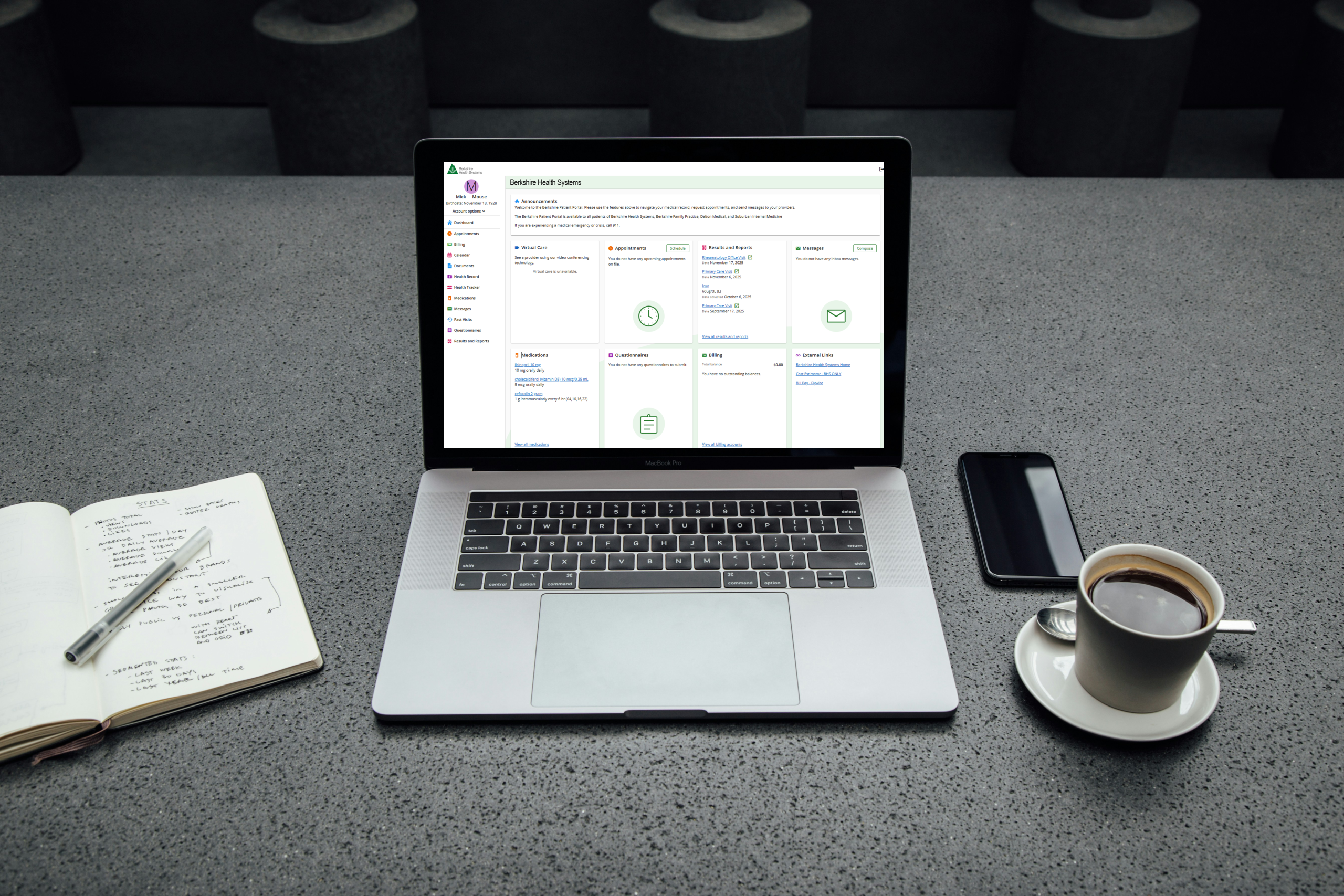


New Berkshire Patient Portal Features
The new features with updated look and feel will be arriving the week of March 16, 2026.
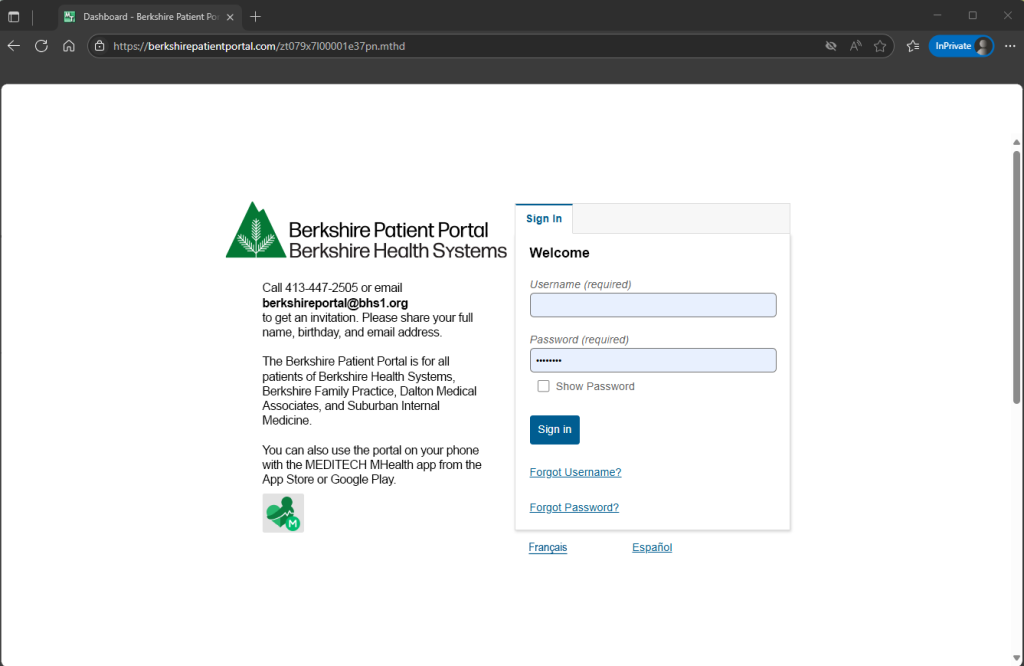
1. Sign In Screen
Welcome to the Berkshire Patient Portal. From this screen:
- Sign In
- Create Account
- Request Username or Password assistance
- Change Language Preference: English, Espanol, Francais
2. Welcome SCREEN
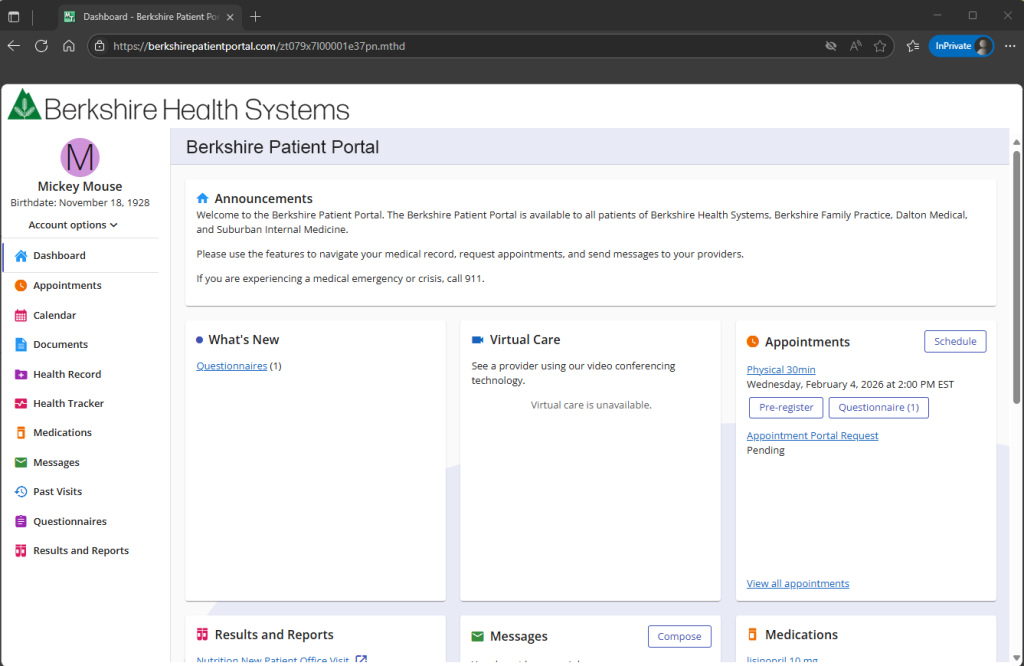
Navigation categories are listed vertically with the most recent activity visible within each section.
3. Account Options
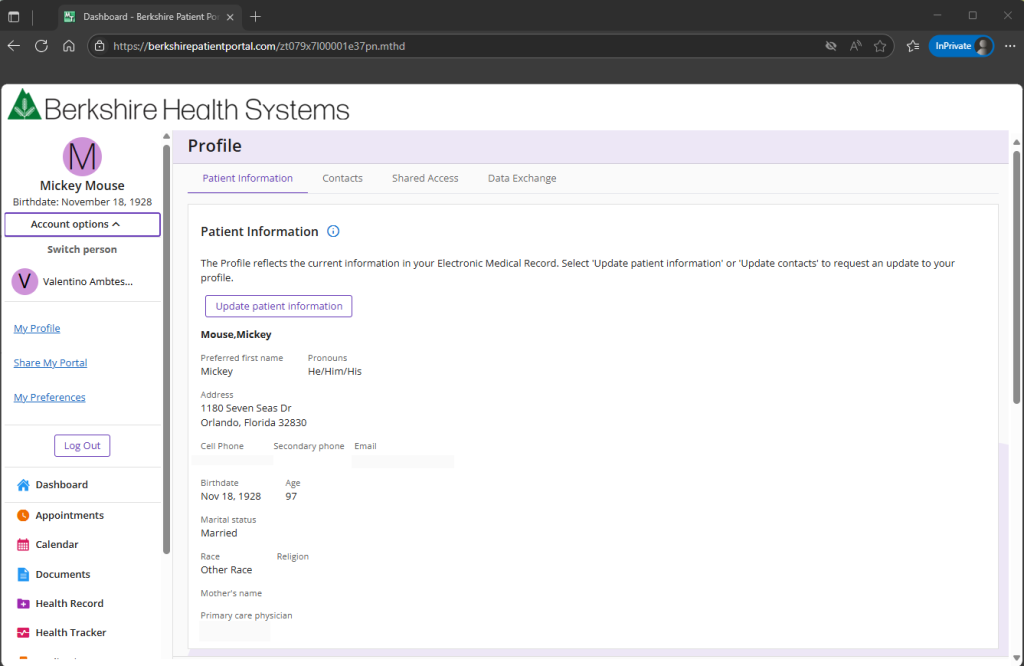
- Update profile information
- View Contacts
- Share Access
- Switch Person
4. Appointments View
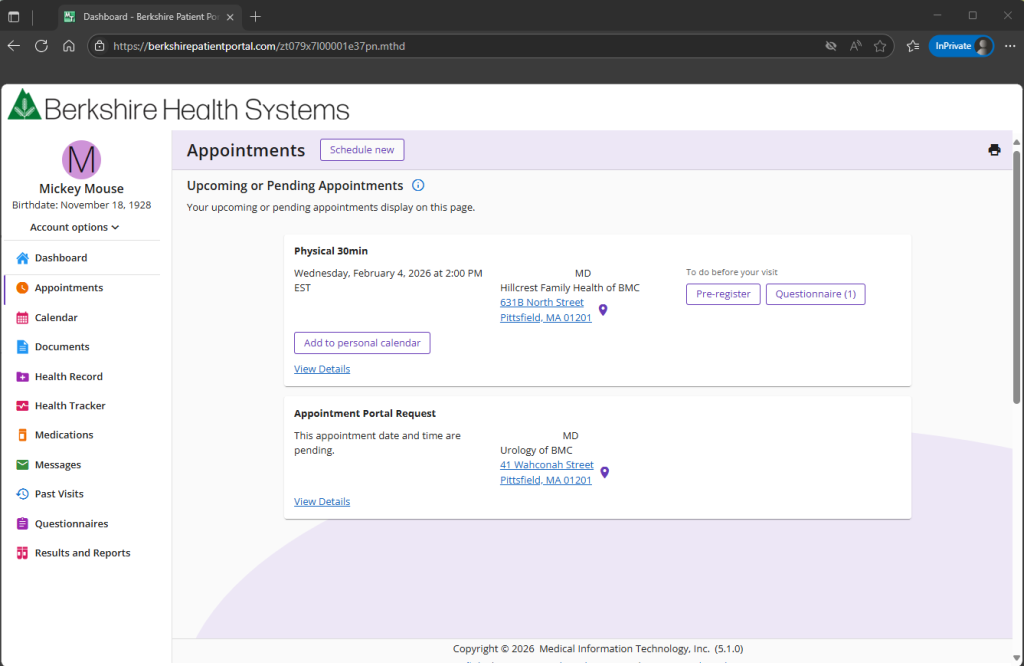
View Details of your upcoming appointment:
- Add appointment to personal calendar
- View Date, Time, Location, Provider, Duration, Reason for Visit
- Pre-register
- Complete a Questionnaire
5. Calendar View
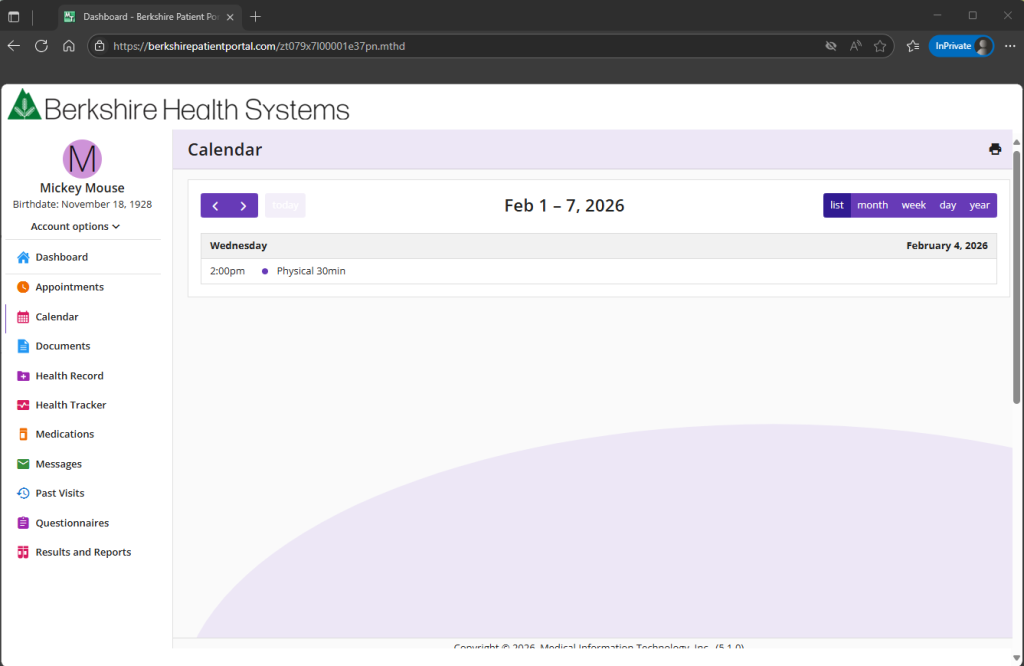
New calendar view allows viewing and printing of all current and past appointments.
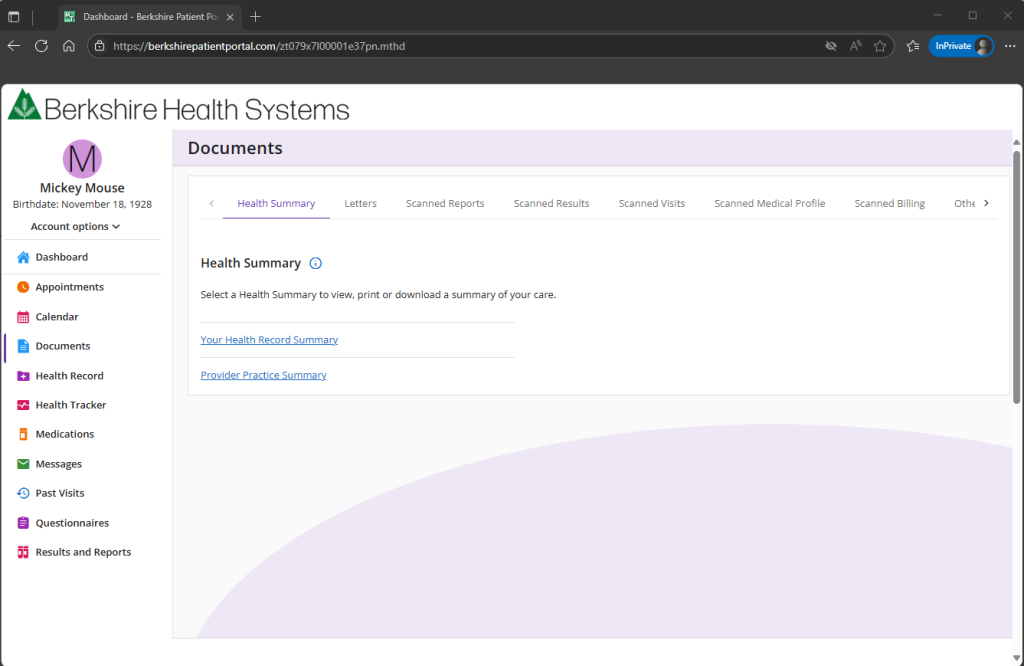
6. documents
View documents scanned into your record.
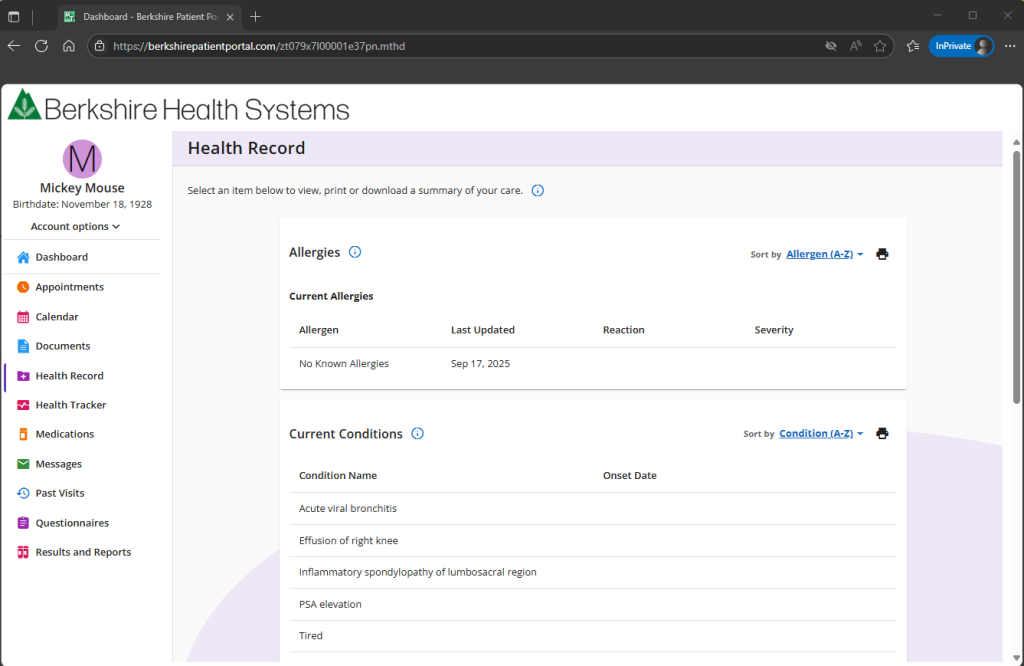
7. Health Record
New Health Record view displays the latest updates in each category. Providing a summary of your allergies, conditions, medications, and preventative care.
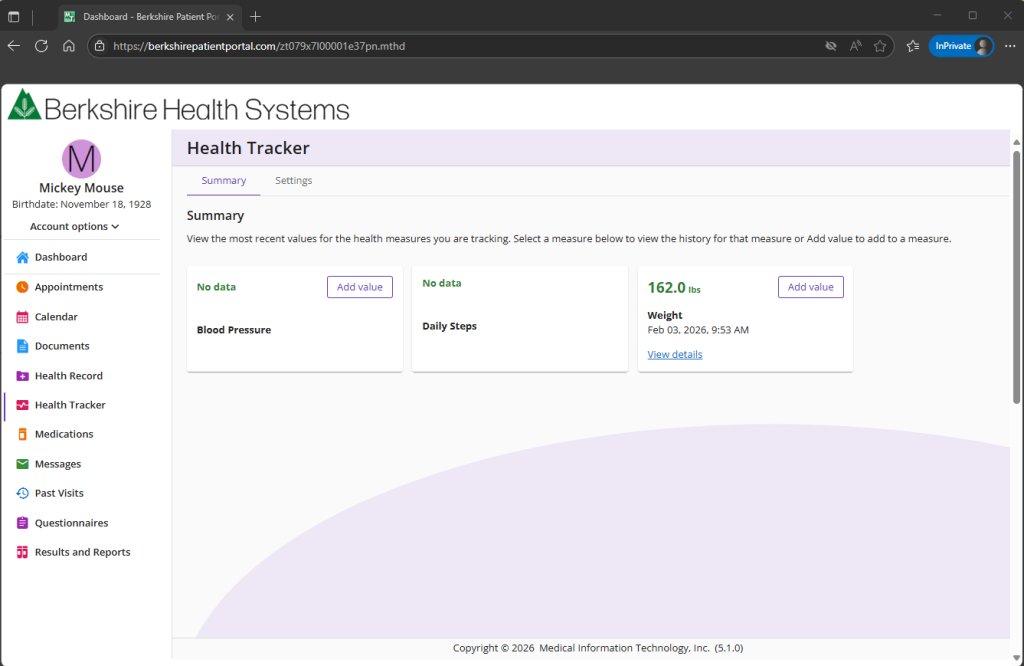
8. Health tracker
Connect a mobile app to each measurements or manually enter values to track.
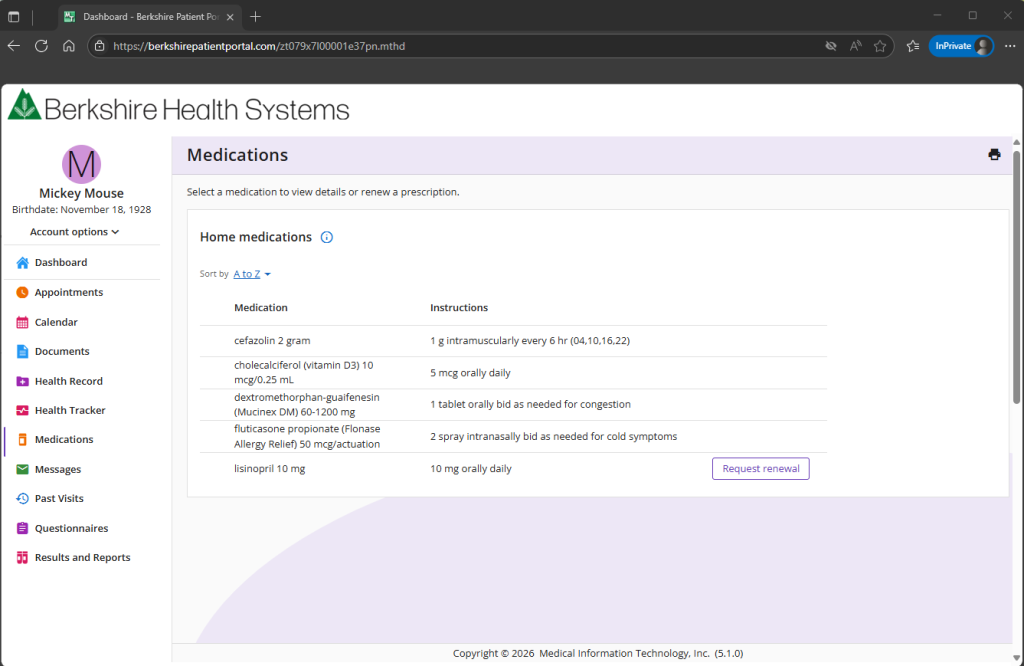
9. Medications
View Home Medications active in your health record. Select a medication from your summary to view details. When a prescription is due for renewal, select the renewal button to message your provider.
Note: Contact your preferred pharmacy for the status of your refill. Medication notices from the Berkshire Patient Portal are not an indication that the prescription is ready for pick up at your pharmacy.
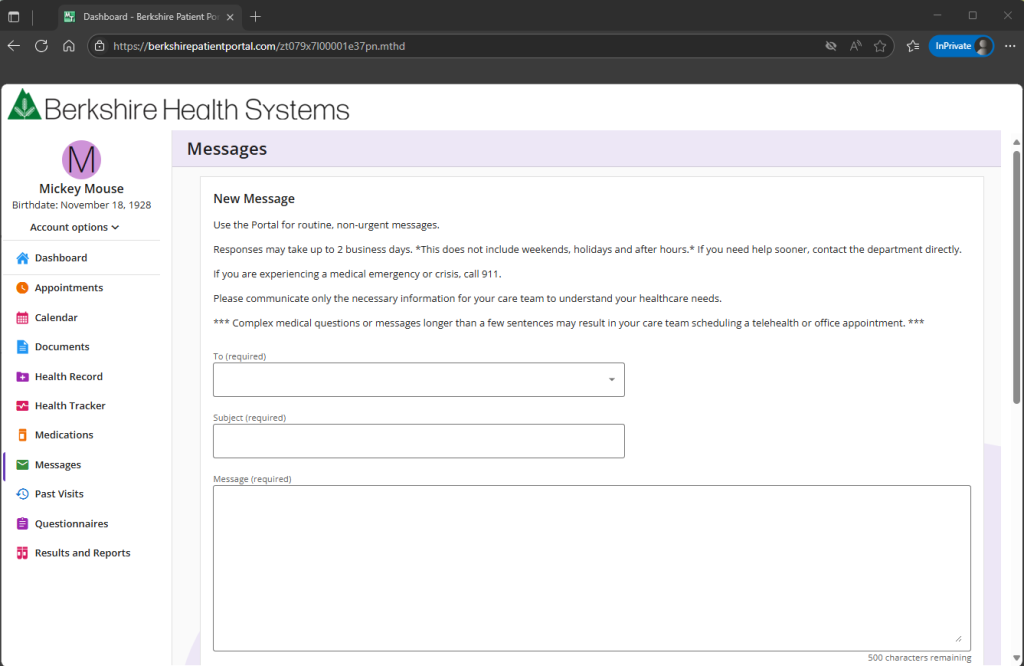
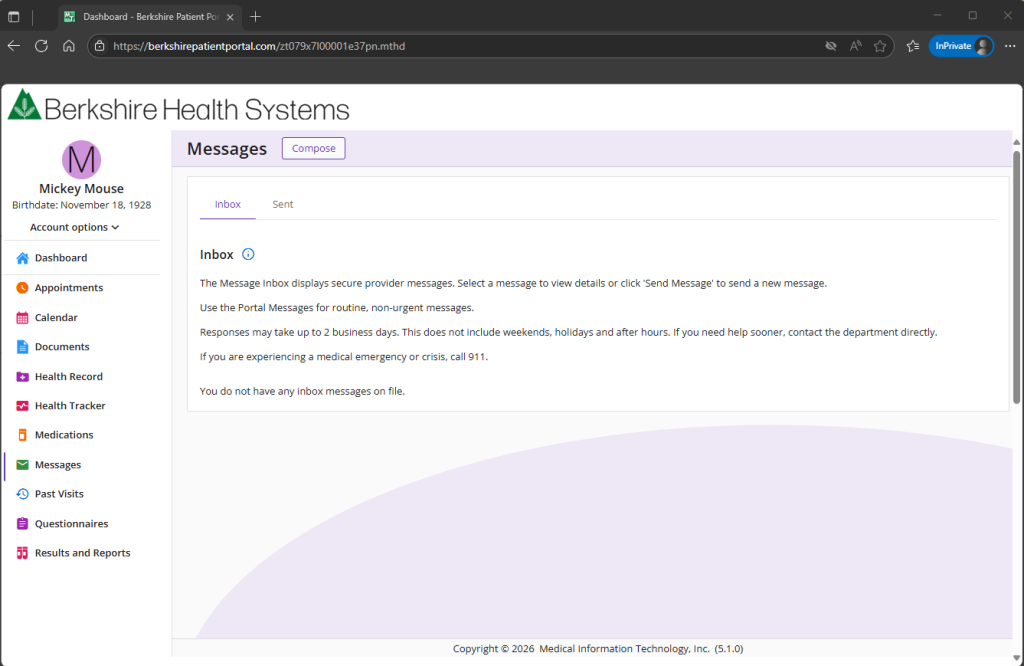
10. messages
View received and sent secure care team messages. Create new, secure messages to your care team by selecting the Compose button.
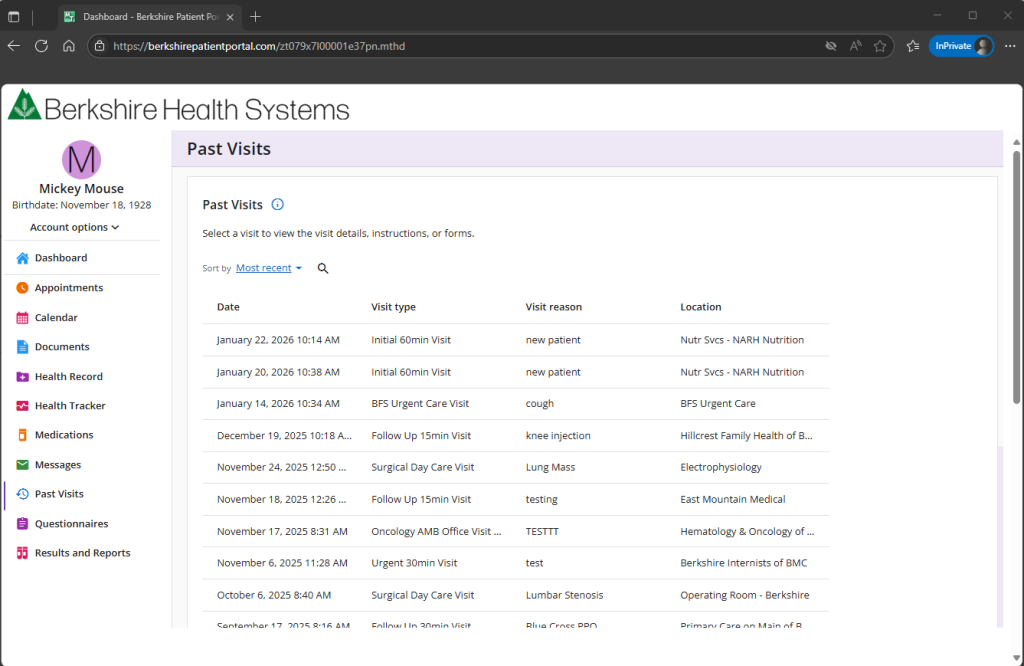
11. Past Visits
New View past visits. Each visit contains visit Summary, visit Care Team, and care resources pertaining to your visit.
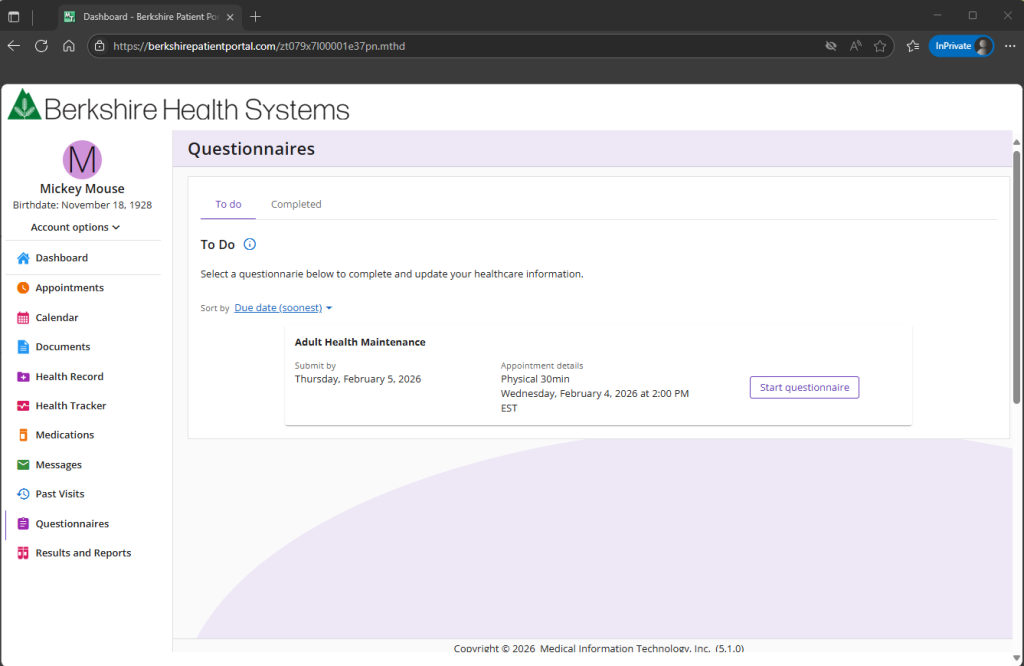
12. questionnaires
View questionnaire to complete or past questionnaires.
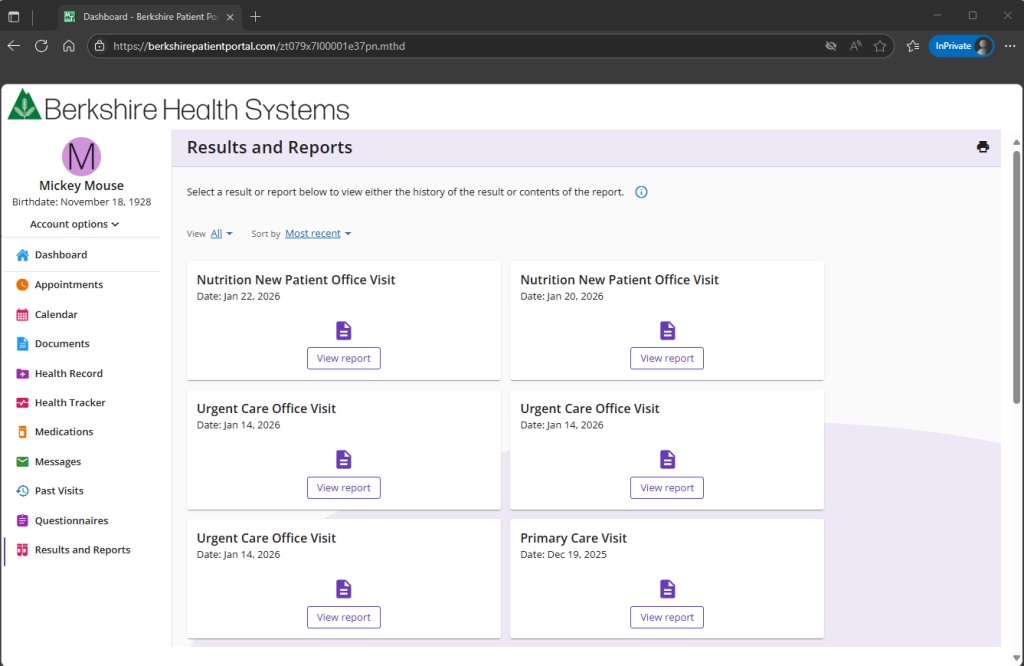
13. Results & Reports
New view of all reports and results. Choose Most Recent in the Sort By filter for the most recent results or reports. Choose Results from the View selection for Results (only or choose Reports for Reports only).
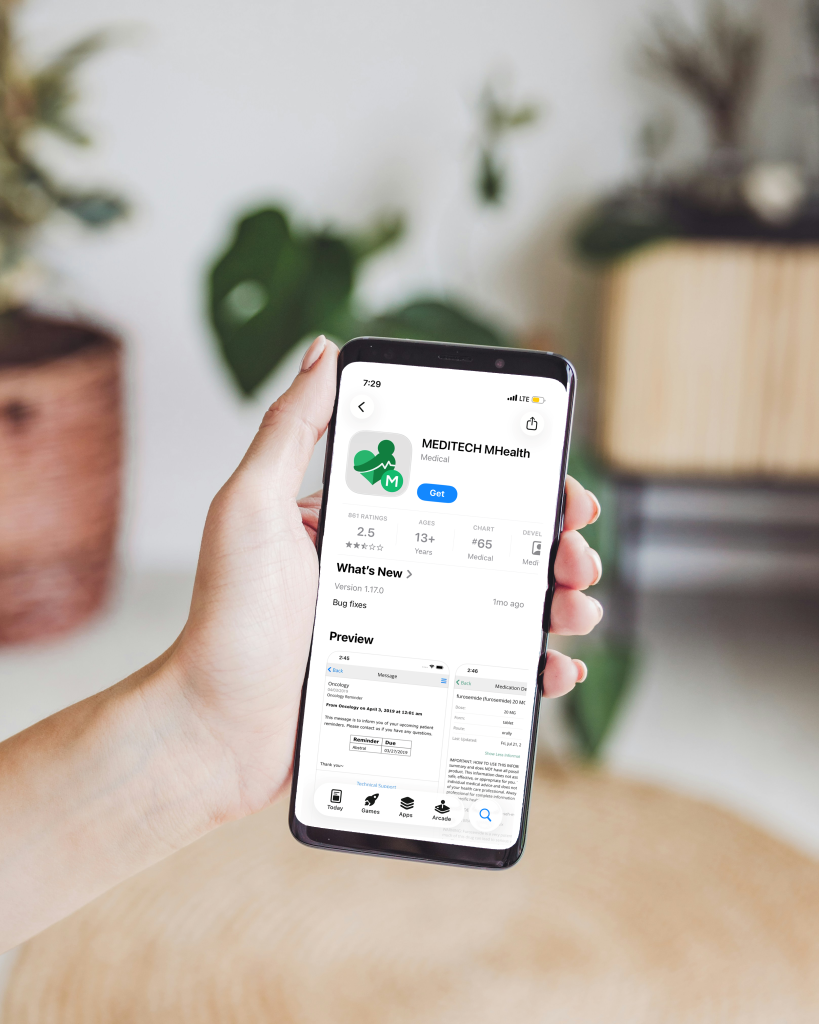
Get the Berkshire Patient Portal App
Download the app to your phone or tablet by searching for Meditech MHealth in the Apple Store or Google Play, then choose Berkshire Patient Portal.

Frequently Asked Questions
| General | | Enrollment | | Medical Record | | Access | | Technical |
About the Berkshire Patient Portal
What is the patient portal?
The patient portal offers personalized, secure online access to your medical records. It allows you to manage and receive information about your health. With the patient portal, you can:
- Schedule medical appointments
- View your health summary
- Request medication renewals
- Access trusted health information resources
- Message your care team
Is there a fee to use the patient portal?
The patient portal is a free, secure service offered to our patients.
What do I need to use the patient portal?
You need access to a computer or mobile device connected to the internet and an up-to-date web browser (such as Edge, Chrome, Firefox, or Safari). You may also use the mobile app on a smartphone or tablet.
How is the patient portal secure?
We take great care to keep your health information private and secure. Access is controlled through secure activation codes, personal usernames, and passwords. Each user controls their own password.
Unlike conventional email, all messaging occurs while you are securely logged in to the patient portal website or mobile app.
You can further protect your account by enabling two-step verification. When this feature is turned on, you must enter a one-time code sent to you by email or text message in addition to your username and password.
Enrollment Questions
How do I sign up?
An email invitation will be sent to the email address we have on file. The invitation will provide a link to set up a portal account. If you did not receive an email invitation, you may:
- Call your primary care provider to request one and ensure they have your correct email address, or
- Ask to sign up for the patient portal at your next Berkshire Health Systems office visit
- Contact the Berkshire Patient Portal Support team by email at: BerkshirePortal@bhs1.org, or by calling 413-447-2505
My email invitation does not work. What should I do?
Please contact Berkshire Patient Portal Support by email at: BerkshirePortal@bhs1.org, or by calling 413-447-2505.
your medical record
When can I see my test results in the patient portal?
Test results are available as soon as they are finalized. Please note that test results may post to the patient portal prior to being reviewed by your provider. It is always best to review test results directly with your provider.
What if the information in my patient portal record is incorrect?
Information in the patient portal comes directly from your electronic medical record. If you notice an error, ask your provider to correct it during your next visit. Your health record is reviewed and updated during each appointment.
Why are some records missing?
Some imaging results will not appear in the patient portal but can be requested from Medical records. Written imaging reports will still flow to your patient portal.
Patient Portal Access for Family Members
Can I view a family member’s health record?
Yes. Proxy access allows you to view the medical records of family members or others you care for, with their permission. You must be at least 18 years old to access another person’s record.
You may also grant someone access to your own record if you need help managing appointments or medical needs. Proxy access can be granted through Account Options in the Share Access section of the patient portal.
Can I ask questions about a family member from my own account?
No. Due to the sensitive nature of medical information, each individual patient must use their own patient portal account for questions
Can spouses share one account?
No. Each patient will have their own account.
How do I get portal access for my child?
To request proxy access for a minor, contact the Berkshire Patient Portal Support team at BerkshirePortal@bhs1.org, or by calling 413-447-2505.
If I am under 18, can I enroll?
Patients under 18 should consult a parent or guardian for assistance with enrollment.
Technical Questions
Why was I logged out?
To protect your privacy, you are automatically logged out after 15 minutes of inactivity. We recommend logging out whenever you step away from your device.
I have multiple patient portal accounts. Can I link them?
Unfortunately, patient portal accounts from other healthcare organizations cannot be viewed from your Berkshire Patient Portal account.
How do I delete my account?
You may request account deactivation by contacting our Berkshire Patient Portal Support team at: BerkshirePortal@bhs1.org, or by calling 413-447-2505
How do I get notified about new information added to my patient portal account (messages from my provider or new test results)?
When you have new messages, medications, documents, questionnaires, or results you will receive an email and/or text notification from Berkshire Patient Portal.
Please note: A medication notice does not indicate that your prescription has been filled by your preferred pharmacy. Please contact your pharmacy directly for prescription refill status.
Why wasn’t my medication ready at the pharmacy after I received a medication renewal message from the portal?
When your provider prescribes a new medication or you request a renewal on an expired prescription, you will receive notification of medication updates. This does not mean your prescription has been filled at your preferred pharmacy. Please contact your pharmacy directly to determine the status of your prescription.
How can I see my current preferred pharmacy?
Your preferred pharmacy will display when requesting a prescription renewal or when pre-registering for upcoming appointments. Changes to your preferred pharmacy are made by your provider during visits.
I forgot my password; How do I access my patient portal?
Click the “Forgot Password” link on the login page. You’ll be asked to enter your username and your email address connected to your portal account (This is the email address that receives notifications from the Berkshire Patient Portal). If you don’t have a connected email address, please contact our Berkshire Patient Portal team at: BerkshirePortal@bhs1.org or by calling 413-447-2505.
I forgot my username; How do I access my patient portal?
Click the “Forgot Username” link on the login page. You’ll be asked to enter the email address connected to your portal account (This is the email address that receives notifications from the Berkshire Patient Portal). If you don’t have a connected email address, please contact our Berkshire Patient Portal team at: BerkshirePortal@bhs1.org or by calling 413-447-2505.
Sign Up Today
Ready to get started with the Berkshire Patient Portal? If you did not receive instructions from your provider, please email us to get started.
Can’t remember your username or password, click here to reset*.
*Our patient portal team strives to respond within two business days of your request.